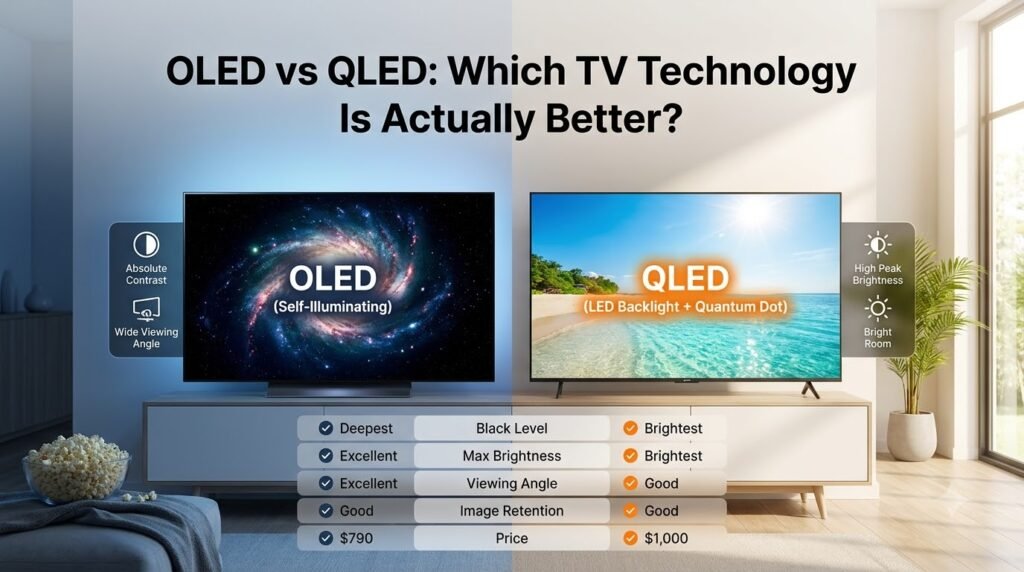
OLED vs QLED: Which TV Technology Is Actually Better?
Few decisions in home entertainment trigger as much debate—or buyer anxiety—as choosing between OLED and QLED. Walk into any major electronics retailer, and you will find yourself caught between two visually stunning walls of screens, bombarded by slick marketing jargon: infinite contrast, quantum dots, pure blacks, and blinding peak brightness.
When you are preparing to invest $1,000, $2,000, or more into a centerpiece for your living room, the stakes feel high. You want movies that feel cinematic, sports that remain crisp, and a display that will not become obsolete or degraded after three years of regular viewing.
Having tested, calibrated, and lived with dozens of televisions across both panel types over the past decade, I have seen where each display technology shines and where the marketing promises fall short. In this comprehensive guide to OLED vs QLED, we will cut through brand hype, compare the five crucial performance benchmarks, and help you select the exact panel tailored to your room layout and viewing habits.
The Underlying Tech: Demystifying OLED and QLED
To understand how these displays perform in daily use, we must first look at how they generate light and color. Despite the single-letter difference in their acronyms, their engineering principles are fundamentally opposite.
What Is OLED? (Organic Light Emitting Diode)
OLED is an emissive display technology. Every single pixel (over 8.2 million on a 4K panel) is its own microscopic light source. When an OLED pixel needs to display pure black, it does not dim—it shuts off completely. Because each subpixel operates independently with zero backlighting bleed, OLED delivers truly infinite contrast and pixel-level precision.
What Is QLED? (Quantum Dot LED)
QLED is a transmissive technology popularized primarily by Samsung, TCL, and Hisense. At its core, a QLED TV is an advanced LCD panel illuminated by an LED backlight. What makes it special is a microscopic layer of nano-crystals called Quantum Dots placed between the backlight and the screen. When struck by blue LED light, these quantum dots emit exceptionally pure, saturated red and green light, boosting overall color volume and driving screen brightness to heights emissive panels cannot easily match.
The 5 Critical Battlegrounds: OLED vs QLED
When evaluating oled vs qled, theoretical lab measurements matter far less than how the screen behaves under real-world conditions. Here is how they stack up across the five most critical performance categories.
1. Black Levels and Contrast: The Realm of True Blacks
Contrast ratio—the difference between the brightest whites and the darkest shadows—is universally recognized by display calibrators as the single most critical factor in perceived picture quality.
-
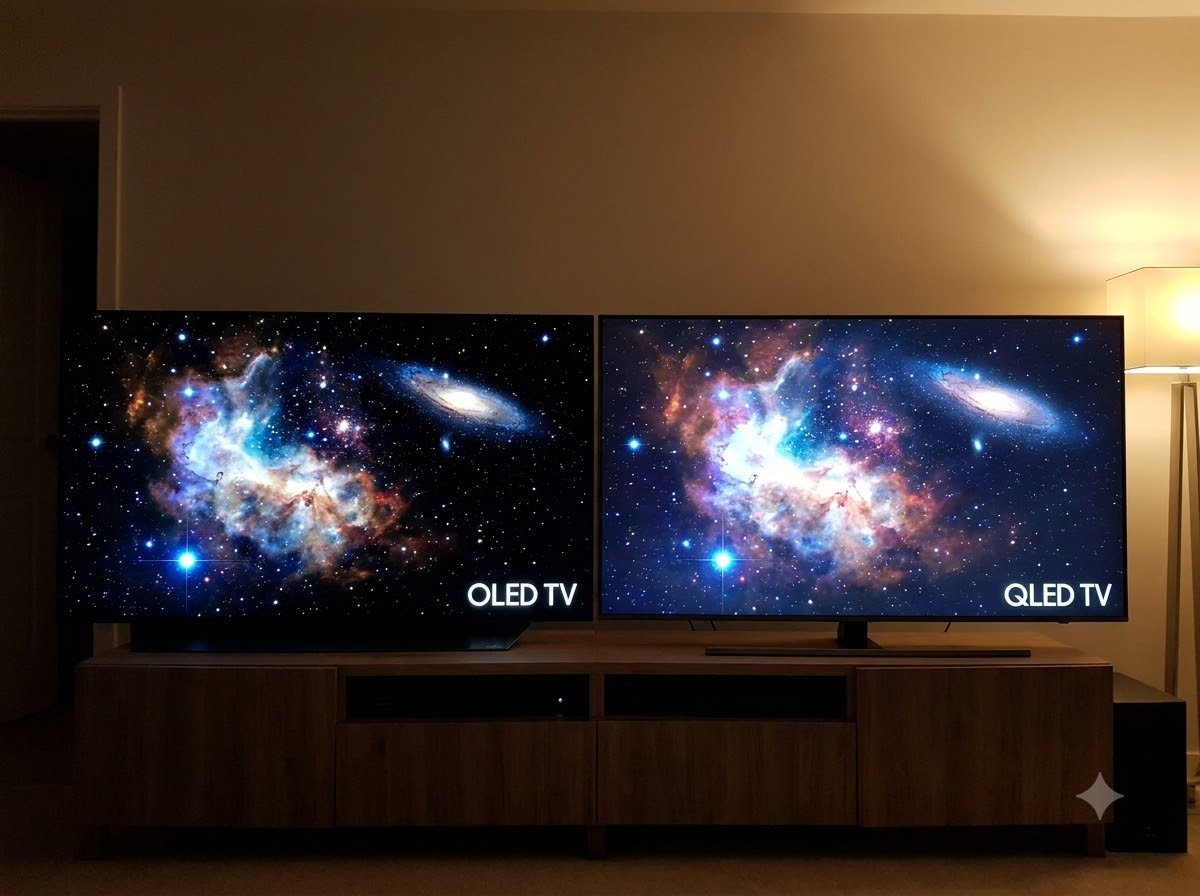
OLED: Because each pixel switches off completely, OLED achieves a mathematical black level of 0.000 nits. This translates to an infinite contrast ratio. In high-contrast scenes—such as starry night skies, dark cinematic thrillers, or neon signs against city nightscapes—there is zero light halo or “blooming” around bright elements.
-
QLED: QLED televisions rely on local dimming zones to regulate brightness across the panel. While modern high-end Mini-LED QLED sets feature thousands of individual dimming zones, light still inevitable bleeds into neighboring dark zones. Subtitles in dark scenes often show a subtle halo effect.
Winner: OLED (by a significant margin).
For a deeper dive into backlighting mechanics, read our breakdown on Full Array Local Dimming (FALD) and Dimming Zones.
2. Peak Brightness and Handling Ambient Light
Not everyone watches TV in a pitch-black dedicated media room. Ambient lighting completely alters the viewing equation.
-
QLED: This is where QLED establishes dominance. Premium QLED displays effortlessly hit peak brightness levels between 1,500 and 3,000+ nits on localized HDR highlights, maintaining high full-screen brightness. If your living room has large uncovered windows or recessed ceiling lights, QLED cuts through glare with ease and prevents daytime reflections from washing out the picture.
-
OLED: Traditional WOLED panels generally cap out between 600 and 1,000 nits, though newer QD-OLED and Micro Lens Array (MLA) models reach upwards of 1,300–1,500 nits. While plenty bright for standard environments, aggressive Automatic Brightness Limiters (ABL) can dim full-field bright content (such as hockey games or bright snowy landscapes) to protect the organic panel.
Winner: QLED.
3. Viewing Angles: Off-Axis Color and Contrast
If you host Sunday football parties or have a wide sectional sofa, off-axis performance is vital.
-
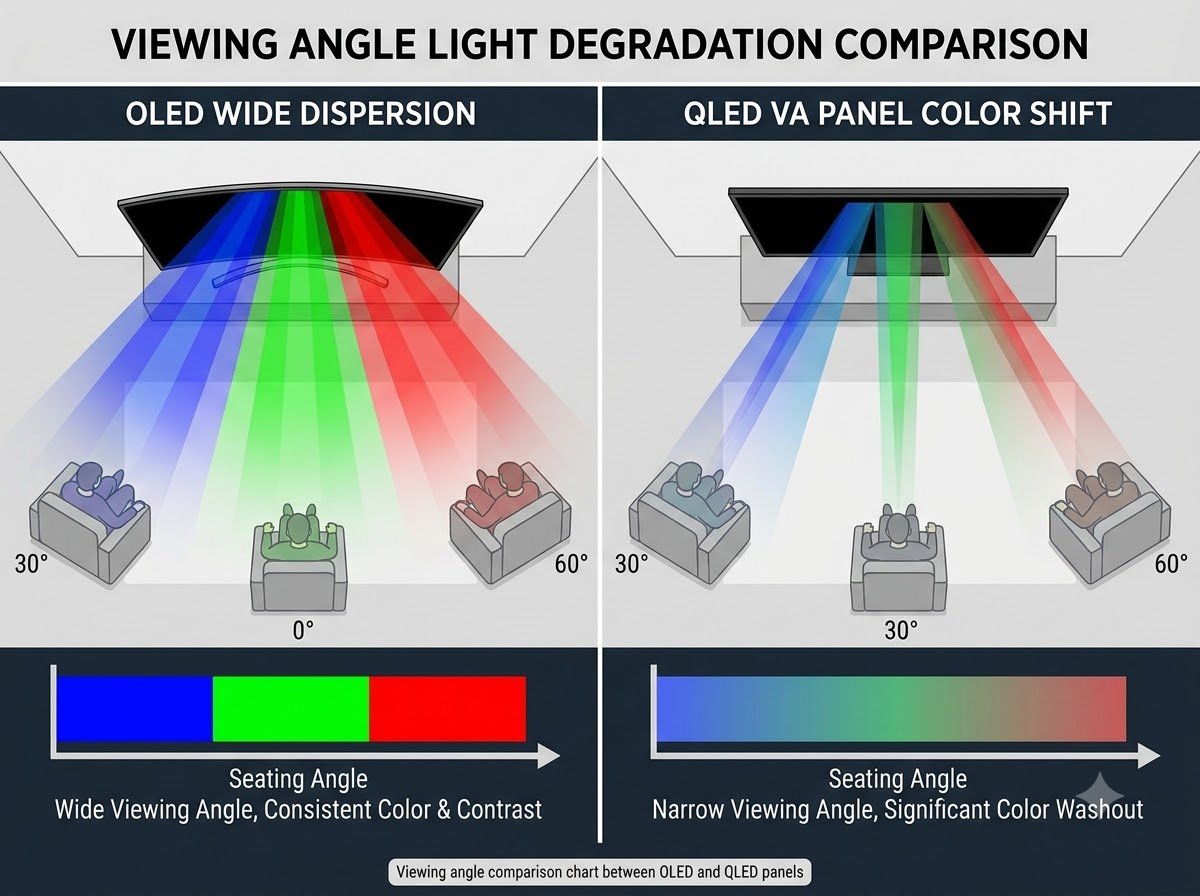
OLED: Because light emits directly from the surface of each pixel, OLED retains virtually 100% of its color accuracy, brightness, and contrast even when viewed from severe 45-to-70-degree angles.
-
QLED: Most QLED panels utilize VA (Vertical Alignment) LCD structures to preserve native contrast. Unfortunately, VA panels degrade rapidly once you move more than 25 to 30 degrees off-center, causing colors to desaturate and black levels to shift into a hazy gray.
Winner: OLED.
4. Burn-in Risk and Panel Longevity
The fear of permanent image retention (“burn-in”) remains a frequent concern among potential OLED buyers.
-
OLED: Because organic compounds degrade over tens of thousands of hours, displaying static graphical elements (like 24/7 news tickers, sports scoreboards, or desktop taskbars) at maximum luminance over prolonged periods can cause uneven pixel wear. Modern OLEDs include robust mitigation features—pixel shifting, logo luminance dimming, and automated pixel cleaning cycles—which make burn-in rare for varied daily entertainment. However, the cumulative physical risk cannot be set to zero.
-
QLED: QLED utilizes inorganic quantum dots and standard LED backlights. It is physically impervious to permanent burn-in. You can pause a game or leave a news channel running all day without concern.
Winner: QLED.
5. Price, Screen Sizes, and Value
-
QLED: QLED panels are far more cost-effective to manufacture across a massive variety of dimensions. Whether you are looking for an affordable 43-inch bedroom display or a mammoth 85-inch or 98-inch statement piece, QLED provides dramatically more screen real estate per dollar spent.
-
OLED: While 55-inch and 65-inch OLEDs have become competitive, prices climb steeply once you reach 77 inches, and 83-inch or 97-inch variants carry significant luxury premiums.
Winner: QLED.
Visual Summary: OLED vs QLED at a Glance
| Feature | OLED | QLED | Best For |
| Backlight Mechanism | Self-lit emissive pixels | LED / Mini-LED + Quantum Dot film | Contrast (OLED) / Brightness (QLED) |
| Black Level | Absolute 0.000 nits (Pure Black) | Deep Gray to Near-Black | OLED |
| Peak Brightness | 600 – 1,500 nits | 1,000 – 3,000+ nits | QLED |
| Viewing Angle | Exceptional (Ultra-wide) | Moderate (Fades off-axis) | OLED |
| Blooming / Halos | None | Visible around bright items | OLED |
| Burn-In Risk | Low (mitigated by software) | None (Inorganic hardware) | QLED |
| Large Screen Value | Higher cost per inch ($77″+) | Superior pricing for 75″–98″ | QLED |
Room Environment Match: Which One Should You Buy?
To make the right choice, look at your room and primary entertainment habits rather than spec sheets alone.
Choose OLED If:
-
You love movie nights in dimmed or dark rooms: You prioritize cinematic immersion, rich shadow details, and accurate HDR mastering as Hollywood directors intended.
-
You have wide sectional seating: Friends and family viewing from side chairs will enjoy identical picture quality to the person sitting directly in the sweet spot.
-
You are an avid console/PC gamer: OLED panels feature near-instantaneous pixel response times (~0.1 ms), virtually eliminating motion blur in fast-paced competitive games.
See our guide on Response Time vs Input Lag for competitive setup tips.
Choose QLED If:
-
Your TV sits in a bright, sun-drenched living room: You watch a lot of daytime content, news, or afternoon sports in spaces with floor-to-ceiling windows.
-
You want maximum screen size on a sensible budget: You want an immersive 75-inch or 85-inch theater scale without breaking into five-figure territory.
-
You use your display as a PC monitor or background TV: You leave channels with static tickers running for hours and want zero long-term maintenance stress.
If you want the brightness of QLED combined with deeper contrast, check out our comparison of Mini-LED vs OLED.
Real-World Setup Tips & Essential Gear
Whichever technology you choose, taking a few extra steps during setup will dramatically elevate your viewing experience.
1. Optimize Your Perceived Contrast with Bias Lighting
If you choose a QLED TV, one of the most effective tricks to mask minor backlight blooming and enhance perceived black levels is adding high-CRI 6500K neutral bias lighting behind the display. It reduces eye strain in dark environments by preventing your pupils from constantly dilating between bright scenes and dark backgrounds.
-
A dependable option is the Govee TV LED Backlight Strip on Amazon, which syncs clean, indirect illumination behind screens from 55 to 75 inches.
2. Safeguard Your Panel with Proper Cleaning Habits
Both OLED and premium QLED panels utilize sensitive anti-reflective optical coatings. Never use glass cleaners containing ammonia or alcohol, as they will permanently strip the protective layer and cause cloudy streaks.
-
Keep a streak-free, alcohol-free solution on hand, such as the Screen Mom Screen Cleaner Kit on Amazon, paired with an ultra-plush microfiber cloth.
3. Solve Viewing Angle Limitations with Articulated Mounting
If you choose a QLED display for a wide room, mounting it on an articulated arm lets you swivel the screen directly toward whichever seating area is occupied, sidestepping off-axis color fade entirely.
-
A heavy-duty mount like the Sanus Premium Full-Motion TV Wall Mount on Amazon provides smooth extension and swivel support for displays up to 90 inches.
Final Verdict: Which Is Actually Better?
When judged purely on absolute picture fidelity, pixel control, and cinematic realism, OLED remains the champion for most dedicated movie lovers and enthusiast gamers. Its ability to produce true, inky blacks creates three-dimensional depth that even the finest LCD backlights cannot fully replicate.
However, “better” is always relative to your viewing environment. If your room is bathed in natural daylight, or if your priority is a massive 85-inch screen for everyday sports and family entertainment, QLED delivers unmatched vibrancy, peace of mind, and value.
What Is Your Setup?
Are you leaning toward the flawless contrast of OLED or the room-filling brilliance of QLED? Drop a comment below with your room dimensions and primary viewing habits—I would be glad to give you a personalized recommendation!
Q&A & Discussions (0)